
Turn any tablet into a paperless patient check-in station.
Give walk-ins and unprepared patients a tablet to complete intake, consents, and e-signatures on the spot, on any iOS, Android, or Windows device, even when the Wi-Fi drops. No special kiosk, no paper, no line at the front desk.
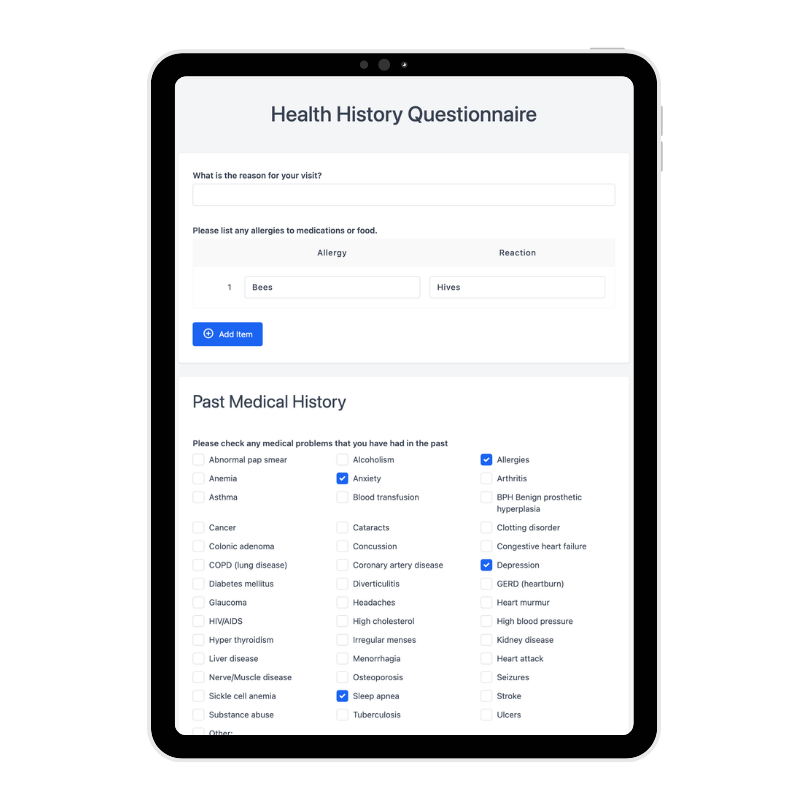
Simplify office workflows with in-clinic tablets.
A faster, cleaner check-in for patients and front-desk staff alike.
Self-serve check-in
Patients start their own intake on a tablet by the door, so one team member can cover a full waiting room instead of two.
Catch every unprepared patient
Walk-ins and anyone who skipped the emailed link complete forms, consents, and signatures on arrival, so nothing holds up the schedule.
No re-keying, no scanning
Everything patients enter on the tablet saves straight into their record, so your team never re-types a form or feeds paper through a scanner.
No supplies to keep stocked
Stop printing, copying, and storing form packets, and stop reordering clipboards and pens, the tablet replaces all of it.
Paper clipboard vs. tablet check-in with Zentake
| At check-in | Paper clipboard | Zentake tablet |
|---|---|---|
| Time to complete | Slow, hand-written | Minutes, guided step by step |
| Legibility & completeness | Illegible handwriting, blank fields | Required fields, validated on entry |
| Getting data into the chart | Staff scan or re-type every form | Saves into the record automatically |
| Consents & signatures | Print, sign, scan, then file | E-signed on the device, stored instantly |
| Walk-ins & unprepared patients | Another clipboard to hand out | Self-serve check-in on arrival |
| Hygiene | Shared clipboard and pen | Wiped-down tablet, no shared pens |
| Security | Paperwork left in the open | Encrypted and HIPAA-compliant |
| Ongoing cost | Printing, storage, restocking pens | Runs on tablets you already own |

Streamlined workflows, better patient experiences.
A paper-free front desk
Your check-in area goes from stacks of clipboards, forms, and filing to a couple of tablets, a cleaner, calmer front desk with nothing to print or store.
Shorter waits, smoother flow
Patients move from the front door to the exam room faster, so your schedule stays on time and the waiting room stops backing up.
A better first impression
A quick, modern check-in signals an organized practice and starts every visit on a positive note, with fewer patients confused at the desk.
“Whenever we have an issue they respond fast, and the product is genuinely easy for patients to use.”
Questions and answers.
What is tablet patient check-in?
It lets patients complete registration, intake forms, consents, and e-signatures on a clinic tablet in the waiting room instead of on paper, with entries saving straight to the patient record.
Do I need special kiosk hardware?
No. Zentake runs on any iOS, Android, or Windows tablet you already own, with no proprietary kiosk required.
Does it work without internet?
Yes. Patients can keep completing forms offline; entries sync automatically when the connection returns.
Are the same forms available online and in-clinic?
Yes. You build a form once and use it both on patients’ own devices and on waiting-room tablets.
Is tablet check-in HIPAA compliant?
Yes. Submissions are encrypted and Zentake aligns with HIPAA, SOC 2, GDPR, and PIPEDA.
Can patients sign consents on the tablet?
Yes. Consents and e-signatures are captured on the device and stored with the record.
Need help setting up? We're here to help.
Reach us by email, phone, or a video call, and we'll get your waiting-room tablets ready whenever you need it.